Vue.js Online Test
For jobseekers
Practice your skills and earn a certificate of achievement when you score in the top 25%.
Take a Practice TestFor companies
Screen real Vue.js skills, flag human or AI assistance, and interview the right people.
About the test
The Vue.js online test assesses knowledge of building web user interfaces with the Vue.js library through a series of live coding questions.
The assessment includes work-sample tasks such as:
- Manipulating DOM elements with Directives.
- Using Computed Properties to encapsulate logic that includes reactive data.
- Handling user events and updating the application based on user actions.
A good Vue.js developer should be able to work with the library effectively to create maintainable and accessible web user interfaces.
Sample public questions
An image gallery is a set of images with corresponding remove buttons. This is the HTML code for a gallery with two images:
<div>
  <div class="image">
    <img src="https://tinyurl.com/im-gal-1st">
    <button class="remove">X</button>
  </div>
  <div class="image">
    <img src="https://tinyurl.com/im-gal-2nd">
    <button class="remove">X</button>
  </div>
</div>
Implement the image-gallery component that accepts a links prop and renders the gallery described above so that the first item in the links prop is the src attribute of the first image in the gallery. It should also implement the following logic: When the button is clicked, the image that is in the same div as the button should be removed from the gallery.
For example, after the first image has been removed from the gallery above, it's HTML code should look like this:
<div>
  <div class="image">
    <img src="https://tinyurl.com/im-gal-2nd">
    <button class="remove">X</button>
  </div>
</div>A website requires a component for adding users to a table. Users can be added by specifying their first name and last name with input elements, and then clicking on the "Add user" button. After a user is added, input elements should be cleared.
After a user is added, they should be listed in the table Users, where the index column should start from 1.
Implement the UserList component with the functionality described above.
For example, after adding the name "Ann Franklin", the tbody part of the Users table should be:
<tr>
  <td>1</td>
  <td>Ann</td>
  <td>Franklin</td>
</tr>For jobseekers: get certified
Earn a free certificate by achieving top 25% on the Vue.js test with public questions.
Take a Certification TestSample silver certificate
Sunshine Caprio
Java and SQL TestDomeCertificate

For companies: premium and custom questions
Buy TestDome to access premium questions that can't be practiced, or build your own custom questions.
For job roles
- JavaScript Developer
- Vue.js Developer
- Web Front-End Developer
Skills and topics tested
- Vue.js
- Binding
- Components
- Event Handling
- Directives
- Computed Properties
- Content Manipulation
- Managing State
- Forms
Custom question types
Add your own custom questions in any of these formats:
- Multiple Choice
- Text Answer
- Multiple Correct Answers
- Live Coding
- Fill the Blanks
- File Upload
- Multiple MCQ
- Number Picker
- File Upload with Validator
- AI Validated Text
- Recording
8000+ organizations build their own questions with TestDome.
Sample candidate report
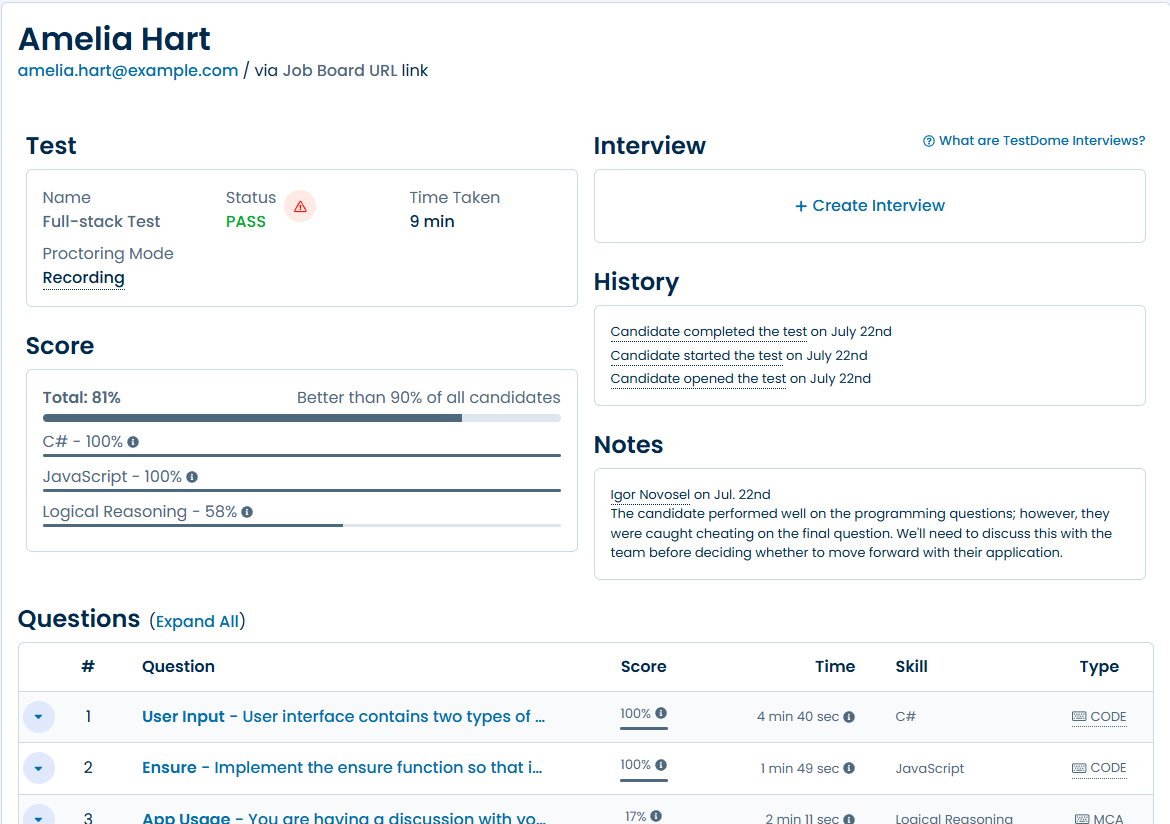
9 more premium Vue.js questions
Calculator, Product Rating, Custom Link, Division, Post Comment, Cards Widget, Validation Form, Countdown, Reorder.
AI-driven cheating detection
Every plan includes all proctoring features, including AI proctoring.
No upgrade, no add-on.
Protect against bad hires with automated highlighting of possible cheating attempts. Spend less time reviewing proctoring details and identify cheating in seconds.
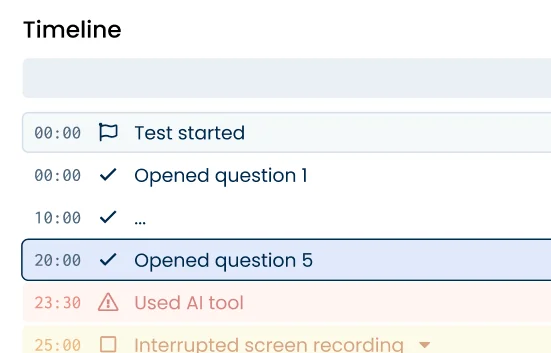
AI-video analysis
Protect against bad hires with automated highlighting of possible cheating attempts. Spend less time reviewing proctoring details and identify cheating in seconds.
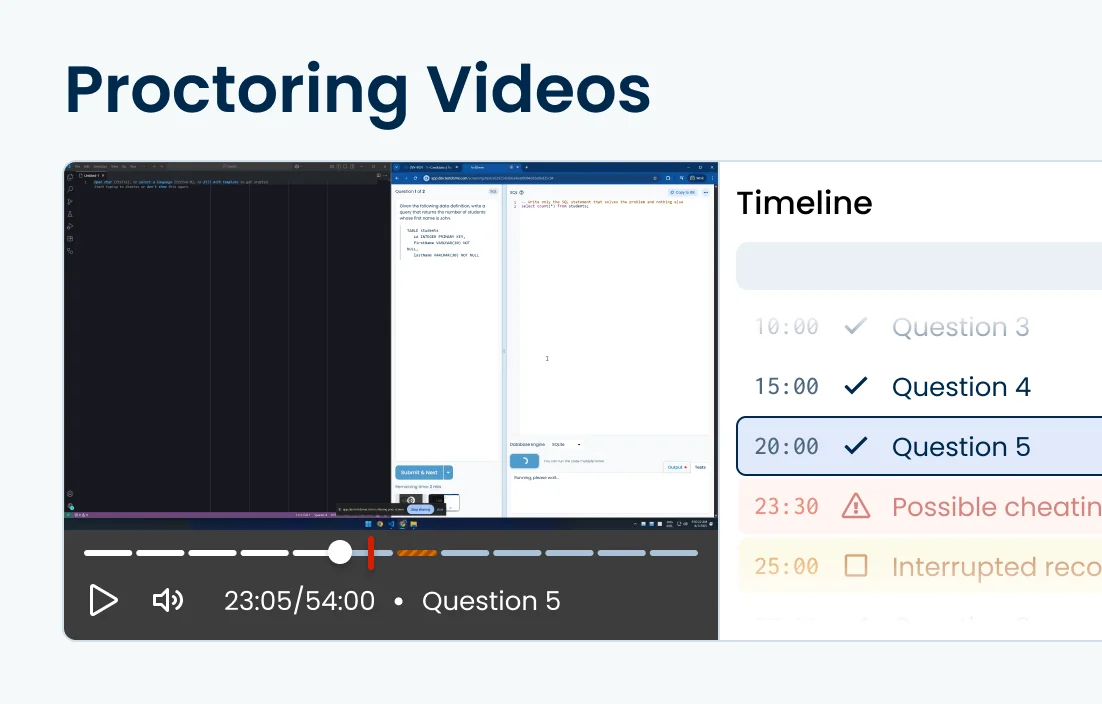
Screen proctoring
Screen recording detects AI tools (ChatGPT, Gemini, etc.), screenshot/snipping tools, OCR tools, DevTools usage, etc.
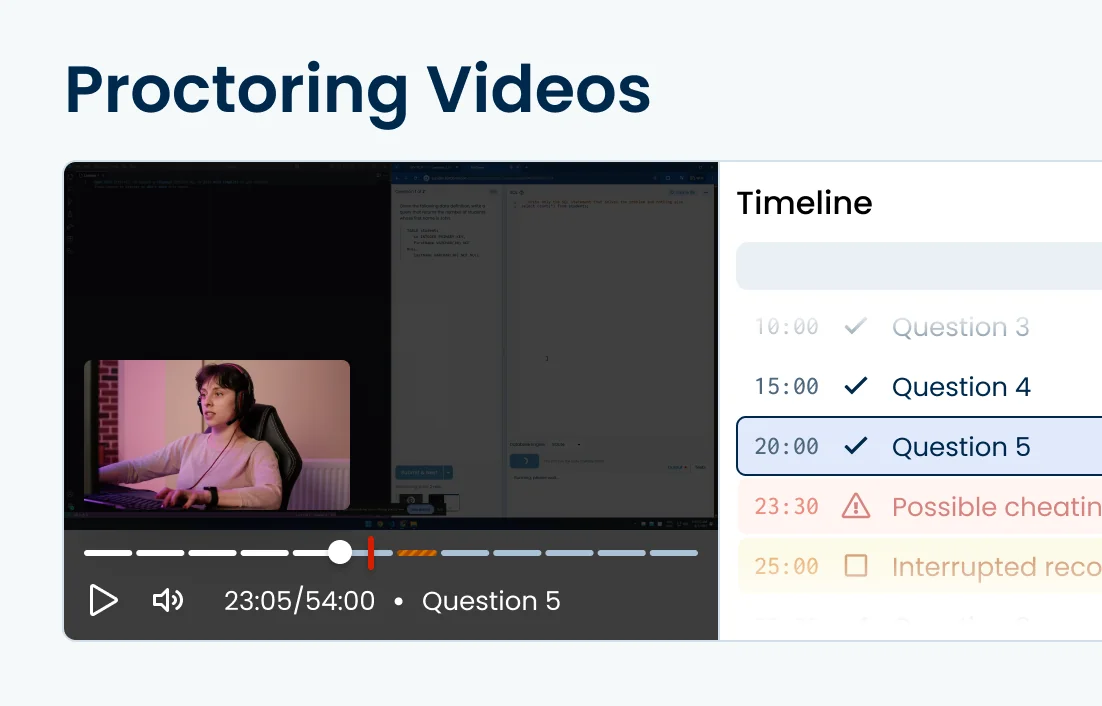
Webcam proctoring
Webcam recording detects off-screen glances, phones and/or tablets, different people, multiple or zero people, etc.
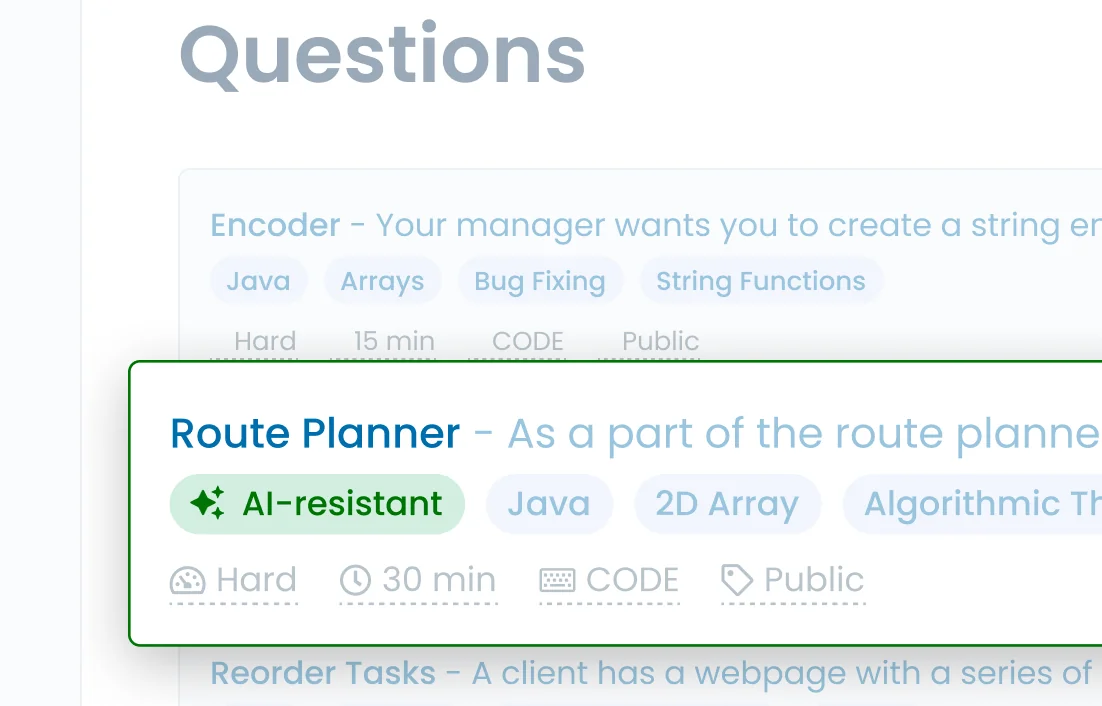
AI-resistant questions
Use AI-resistant questions , which can't be solved with tools like ChatGPT.
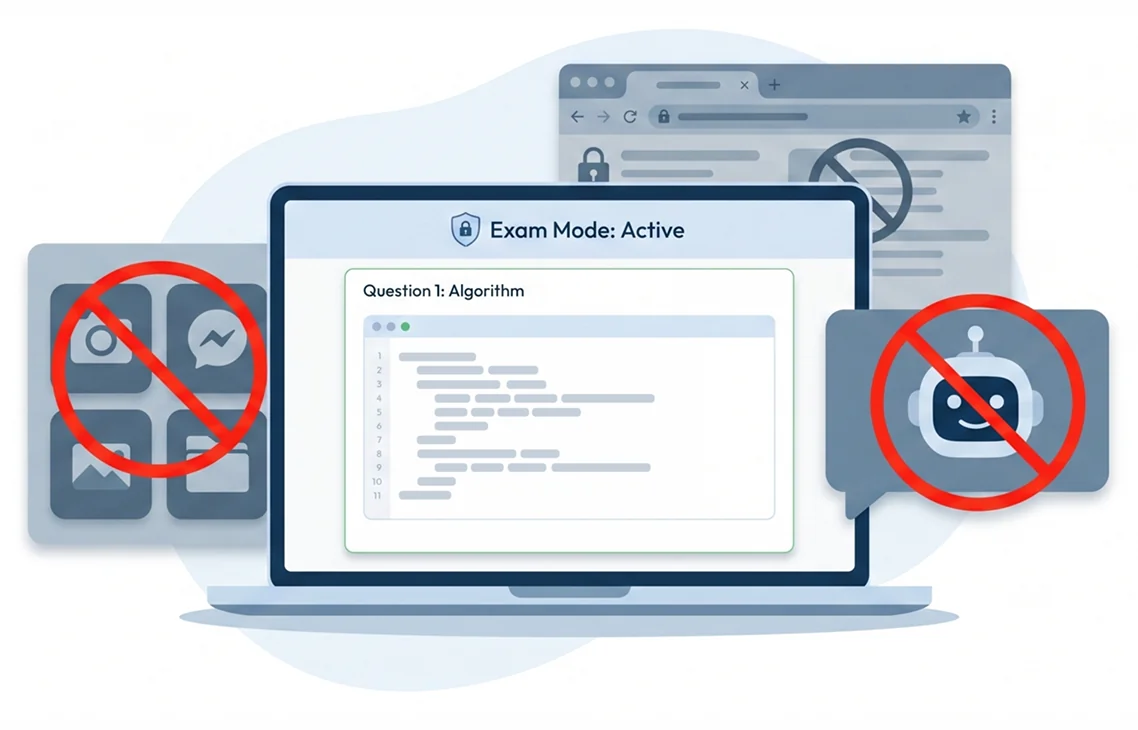
Block hidden AI assistants
Enable Safe Exam Browser lockdown to prevent candidates from using hidden AI assistants, switching apps, or browsing the web, ensuring the level of security required for your high-stakes tests.
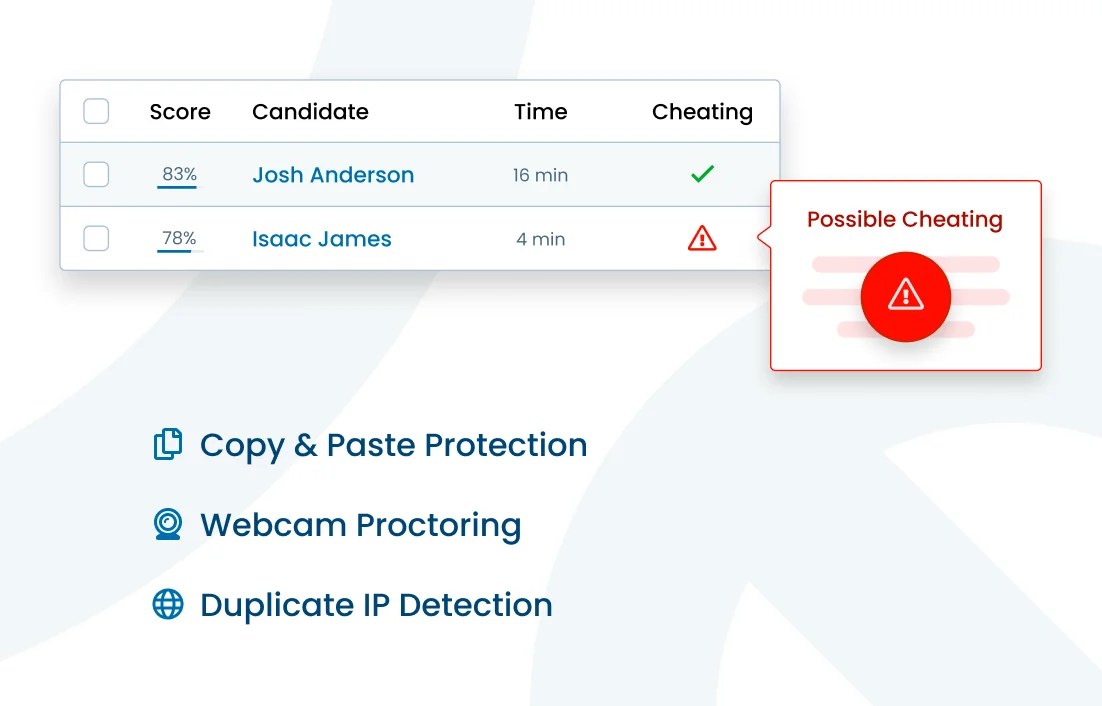
Duplicate attempts detection
Detects test retaking from the same IP address or the same browser.
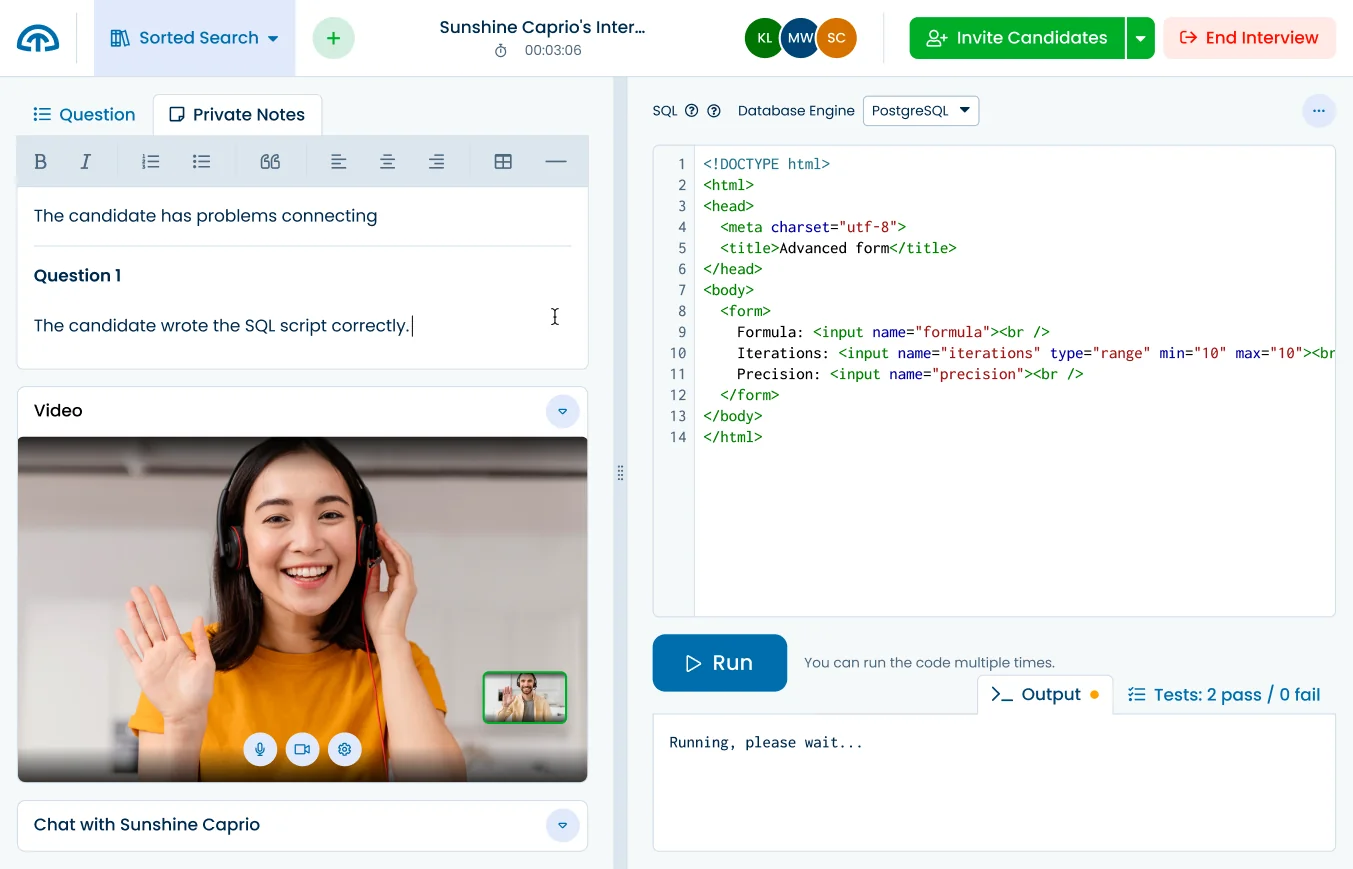
Code interviews
Verify your candidates' knowledge via Interviews,
with video, chat, and collaborative code editing.
What others say

Reliable, AI-ready technical testing
I thought the rise of AI would render it obsolete, BUT, the platform has definitely adapted to the changing times and I find it to be the only reliable way to do our online technical assessments nowadays. With its system proctoring and AI-detection tools, I feel confident that the applicants aren't able to cheat.
Product reviews




Used by




Solve all your skill testing needs
150+ Pre-made tests
130+ skills
AI-ready assessments
How TestDome works
Choose a pre-made test
or create a custom test
Invite candidates via
email, URL, or your ATS
Candidates take
a test remotely
Sort candidates and
get individual reports